MakeID Resource Inventory Device

Faster, More Accurate Fiber Port Validation

Inspect port conditions directly in the field without disconnecting cables or disrupting service.

No Service Disruption Synchronized Data Standard & Pro
MakeID Resource Inventory Device
Clamp · Connect · Clear Three simple steps for port validation and updates.
```
Our Partner
The Problem We Solve

Inaccurate port data makes capacity difficult to utilize

Ports that are no longer in use can still be listed as active. As a result, field teams hesitate to use them and companies risk adding devices before they are really needed.

01

Available ports are not visible

The actual empty capacity is held back because the status in the system does not match field conditions.

02

Verification takes time

Manual checks lengthen technicians' work and make the customer activation process less efficient.

03

Field data is lagging behind

Technician findings don't always go straight into the system, so discrepancies keep recurring.

Resource Inventory Devices are used on fiber networks
Core Functions

One device for port validation and data updates

Designed for FTTH work in the field, this device helps technicians determine whether lines are actually active, check connections, and then act on ports that are only occupied administratively.

Detection without removing fiber

Just pinch the cable to find out whether there is a signal from the customer's side or not.

Connection verification is more convincing

Additional test modes help distinguish connected, inactive, or problematic lines.

Record results via the app

Check results can be sent via Bluetooth to update inventory data more quickly.

Business Benefits

More than a measurement tool: help network assets work more productively

Free up unused ports

Find pseudo-occupancy so that ports can be reallocated without hasty additional investment.

Keep services running

The initial inspection is carried out without disconnecting the fiber connection so that customer disruption can be avoided.

Speed up technician work

Simple workflows help teams make decisions directly on site.

Improve inventory accuracy

Field results data can be forwarded to the system so that capacity planning is more reliable.

How It Works

Clamp. Connect. Clear.

Three practical steps to confirm port conditions and close the gap between system records and actual conditions.

Clamp

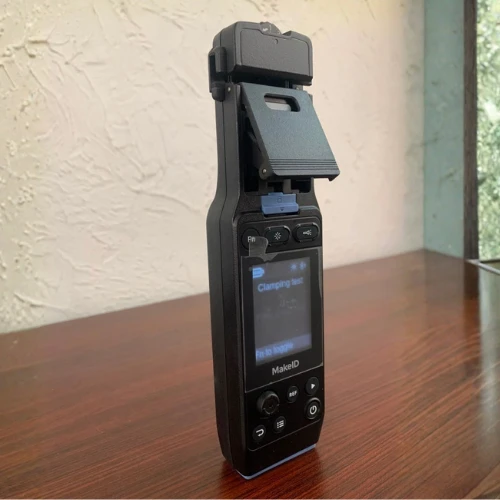
Clamp the fiber cable without pulling it out. The device detects whether there is a signal from the subscriber's ONT.

Connect

Verify via optical connection to ensure the line is still connected, inactive, or disconnected.

Clear

Log results via the app or release port status to allow capacity to be reused.

Key Features & Specifications

Select the version according to operational needs

The Standard version covers the main port validation requirements. The Pro version adds OTDR functionality for more complete intrusion tracking.

MakeID Resource Inventory Device

Summary of key features of the product document.

Fiber testing

Online detection 1270 / 1310 nm
Supported fiber G.652D & flat drop cable
Method Light leak detection
Results There is/is no signal

Connection testing

Upstream light 1270–1310 nm
Return loss 1310 ±20 nm
Status Connected/no service/disconnected
Method Connection to optical lines

Support function

Optical power meters Multi-wavelength
Connector Universal 2.5mm port
VFL 650 ±20 nm, 15 mW
VFL mode Steady/flashing

Pro version only

OTDR function Available
Wavelength 1310 ±20 nm
Dead zone 5m / 15m
Maximum distance 20km
Product Visuals

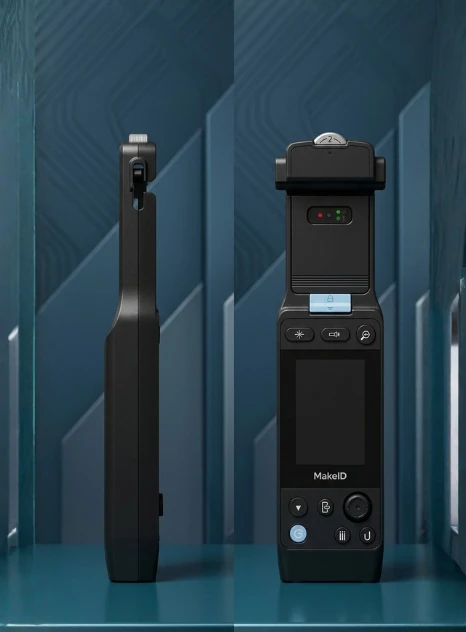
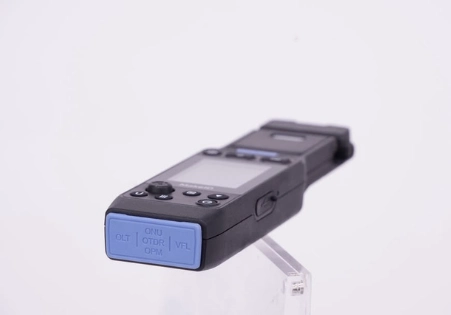
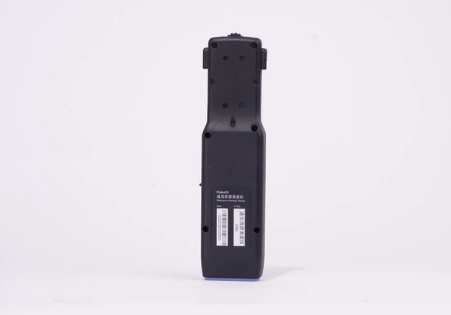
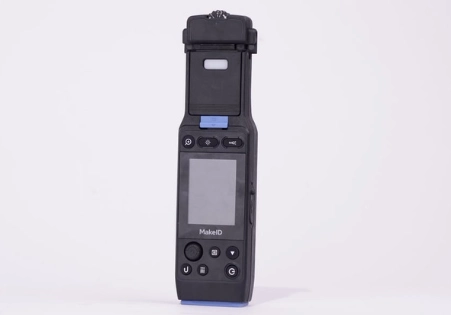
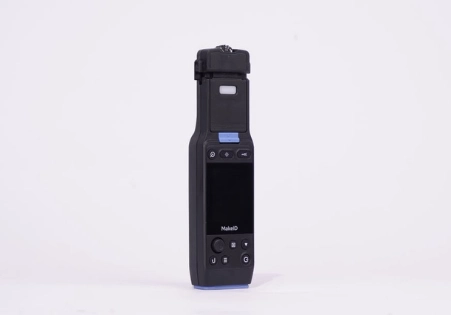
Compactly designed for field work

The handheld form makes it easy for technicians to carry the device to cabinets, splitters and network distribution points.
Consultation & Quotation

Optimize the network capacity you already have

Tell us the number of sites, technician work patterns, and inventory systems used. The CAA team will help determine the most relevant device versions and deployment scenarios.

WhatsApp Sales — 0811-1663-1817 sales@caa-telco.com
Free consultation — no purchase commitment

Request a Quote

Complete the following data, our team will contact you.

Our team will respond within one business day.