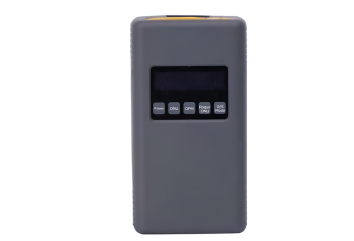
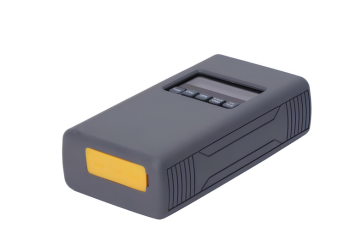
GPON Network Resource Checker

Ensure network resources before the team takes action.

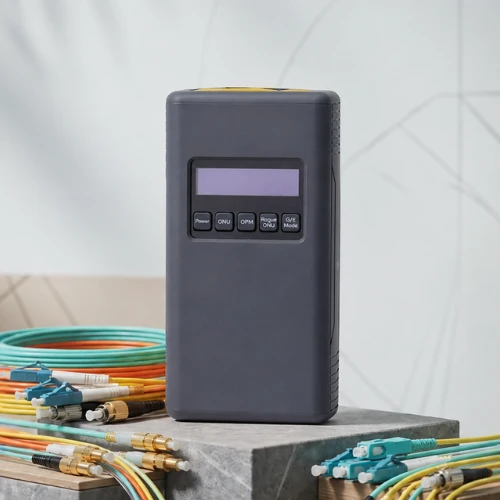
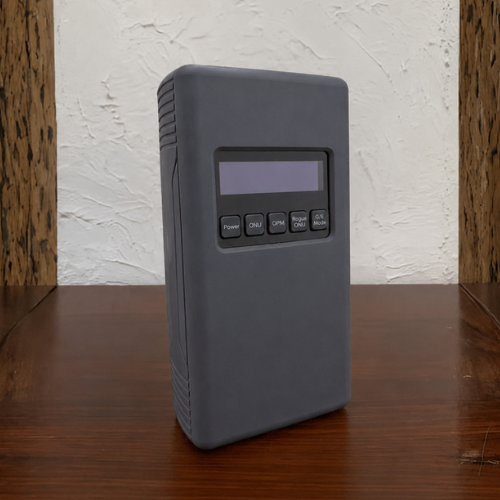
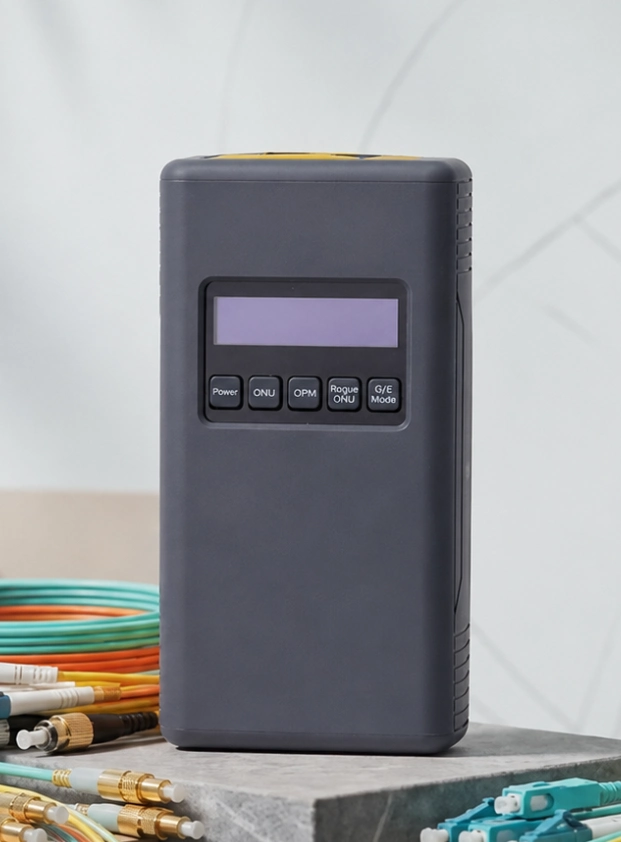
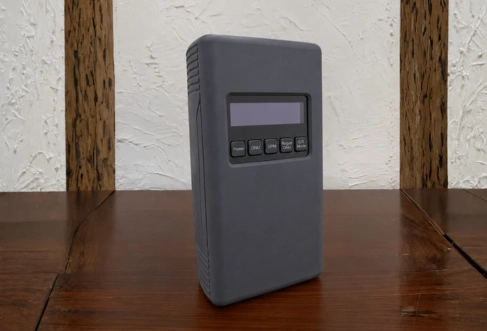
The MakeID BR-100-PRO helps fiber operations teams check customer data, line conditions, and port availability directly from the distribution point without having to enter the customer location.

CHECK WITHOUT INTERRUPTION OF SERVICELIVE ONU DATAREADY FOR FIELD TEAM
MakeID GPON Network Resource Checker
BR-100-PRONetwork Resource Checker
Our Partner
01 / The Problem We Solve

Wrong decisions often start from unverified network data

01 / PORTS

The port looks used

The records are not necessarily the same as actual conditions, so the available capacity is also missed.

02 / SURVEY

Repeat visits

The team must return to the location only to confirm the customer, line, or connection status.

03 / RISKS

Wrong disconnection

Poor identification can impact active customers and increase recovery work.

04 / TROUBLE SHOOT

Fault isolation takes too long

Troubleshooting is time consuming when data and fiber condition checks are carried out separately.

GPON network inspection in the field
02 / Core Product Functions

The faster you ascertain conditions, the more confident you will be in determining your steps

01

Identify the ports that are actually available

Helps find ports that are recorded as being used even though they are no longer active, so that capacity can be reused.

02

Reduce unnecessary work

Clearer field data helps avoid repeated surveys, erroneous harvesting, and premature line construction.

03

Speed up troubleshooting

One device helps the team check customer identity, optical power, and indications of problems on the line.

Consult Your Needs
03 / Business Benefits

One tool for checking that is usually scattered

01

Verify ONU data

Reads accounts, serial numbers, LOID, and MAC to ensure connected customers.

02

Check fiber condition

Helps identify fiber that is available, in use, or has indications of interference.

03

Identify the rogue ONU

Helps find improper ONUs through transmission time analysis.

04

Measure bidirectional optical power

Supports upstream and downstream reading for weak signal analysis.

05

Check when the service is running

Inspections can be carried out without stopping customer traffic.

06

Connect to mobile devices

Bluetooth connection makes it easy to access supporting information when working on site.

Network capacity is more accurate

Misallocated ports can be identified to support capacity planning.

More efficient troubleshooting

The team obtains network context directly at the checkpoint.

04 / How It Works

Verify resources on the GPON line

Checks can be carried out on the primary and secondary splitters before the team continues activation, repair or capacity management.

OLTService source
Primary SplitterCheck point
BR-100-PRORead and verify
Secondary SplitterCheck point
ONUCustomer data
05 / Important Specifications & Features

MakeID BR-100-PRO

Summary of key specifications for technical and procurement evaluation.

Parameters Specifications
Optical port 2 x SC/UPC
Data & charging port 2 x RJ45 100 Mbps; 1 x USB Type-C
Connectivity Bluetooth
ONU data Account, LOID/Password, SN, and MAC
Optical power meters 1310 nm: -30 to +5 dBm; 1490 nm: -30 to +5 dBm
OTDR Range 1 km; sampling resolution 0.25 m; distance accuracy ≤0.5 m
Battery Lithium-ion 7500 mAh; input 5 V / 2 A
Operating conditions -10°C to 50°C; humidity 5%-95% RH non-condensing
Dimensions & weight 175 x 94 x 46.5 mm; 700 g
Request Details & Quote
07 / Consultation & Offers

Discuss your network checking needs

Tell us about the scale of the network, technician workflow, and the most frequently encountered problems. Our team will help evaluate the suitability of the BR-100-PRO for your operational needs.

WhatsApp Sales — +62 811-1663-1817 sales@caa-telco.com
Free consultation — no purchase commitment

Request a Quote

Complete the following data. Our team will contact you.