Live Fiber Identification

Find the right fiber, without disrupting service.

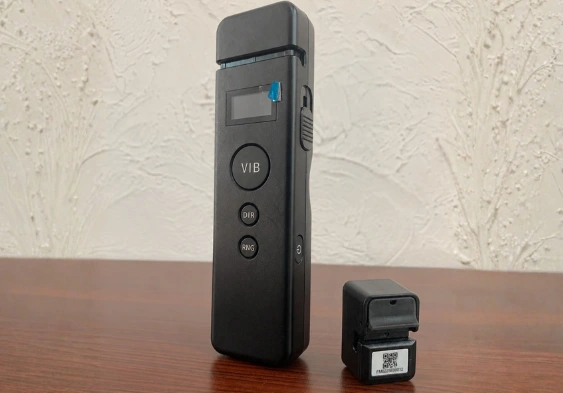
MakeID Fiber Finder helps operations teams quickly identify active fiber lines within an ODF without disconnecting any cables. It reduces the risk of incorrect connections while making maintenance work safer and more efficient.

NO FIBER DISCONNECTION ZERO DOWNTIME RECORDED RESULTS
MakeID Fiber Finder
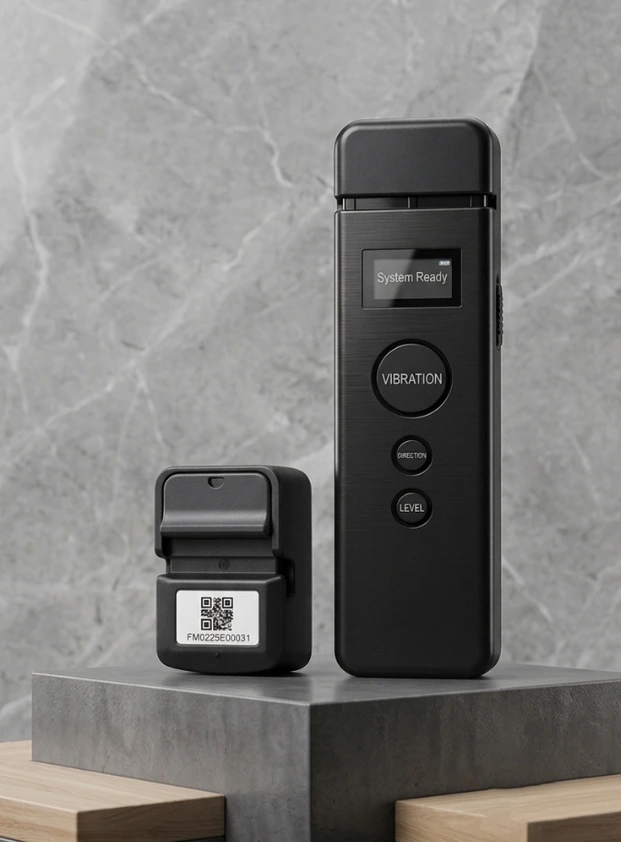
2 devices, 1 workflowVibration generator + active fiber marker
```
Our Partner
Problems in the Field

Choosing the wrong cable can have an impact on the entire service

In dense ODFs, manual identification is time-consuming and opens up the risk of avoidable disruptions.

01 / RISKS

Wrong removal of fiber

Similar-looking cables put technicians at risk of touching the wrong service line.

02 / DOWNTIME

Service was also disrupted

Conventional checking methods may require disconnection during identification.

03 / TIME

Search takes too long

Matching cables one by one extends inspection and maintenance work.

04 / DOCUMENTATION

Results are difficult to track

Manual notes mean that checking results are not always consistent between team members.

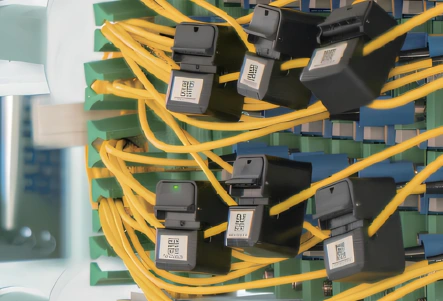
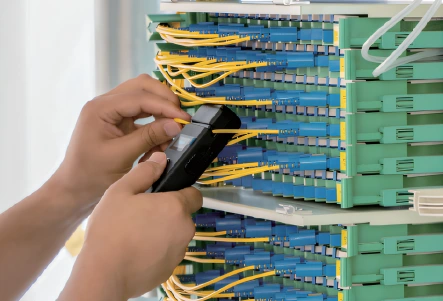
Fiber Finder on ODF rack
Core Functions

Identify active fibers with a more controlled process

Fiber Finder places a vibration marker on the target path, then the identifier device recognizes the corresponding path at another point. All done while the network remains active.

01

Determine the target cable

Helps the team ensure proper connections before actions are performed.

02

Keep services running

Checking takes place online without removing or damaging the fiber.

03

Supports field recording

Connection information can be displayed and recorded via the app.
Discuss Needs
Business Benefits

Created to speed up technician decisions in the field

No service interruption

Fibers can be identified while the connection remains active, making work safer.

The signal direction is visible

The generator display helps the technician understand the direction of the signal on the line under test.

Sensitivity can be adjusted

Three vibration levels help adapt the process to installation conditions.

Additional checks

Visual fault locator supports direct fiber inspection in the field.

Ready for one shift

Both devices support continuous operation for up to 12 hours or more.

Results are easy to record

Bluetooth connection helps teams document results through the app.

How It Works

From origin ODF to destination ODF in four steps

The flow is easy for the operations team to follow and does not require line breaks.

1

Define a path

Select the fiber that needs to be traced to the origin ODF.

2

Install the generator

The generator provides a controlled vibration pattern to the target fiber.

3

Find a partner

Use the identifier on the destination ODF to identify the appropriate fiber.

4

Save results

Confirm connection information, then document it via the app.

Fitur Penting

Spesifikasi yang relevan untuk kebutuhan operasional

Ringkasan untuk membantu tim pengadaan dan teknis menilai kecocokan produk.

MakeID Fiber Finder System

Vibration Generator VP01

KoneksiBluetooth
Dukungan fiberG.652D / G.655, 2-3 mm
Waktu operasi≥ 12 jam
PengisianUSB Type-C, ≤ 5 jam
Bobot≤ 200 g
Fitur tambahan3 level getaran + VFL

Live Fiber Identifier F1-FM02

KoneksiBluetooth
Dukungan fiberG.652D / G.655, 2-3 mm
Waktu operasi≥ 12 jam
PengisianWireless contact, ≤ 2 jam
Bobot≤ 30 g
Identifikasi unitRFID / QR code
B2B Consulting

Reduce the risk of incorrect connections before the next job starts

Tell us about ODF conditions, network scale, and your team's needs. CAA Sales will help assess Fiber Finder suitability and prepare a quote.

WhatsApp Sales — +62 811-1663-1817 sales@caa-telco.com
Free consultation — no purchase commitment

Request a Product Consultation

Complete the following brief data. The CAA Sales Team will follow up on your request.

Data is only used to follow up on your request.